This section explains how to delete a file from Lima.
IMPORTANT - When files are deleted using this method they are not destroyed. Lima archives all files marked for deletion. This is to allow users to recall files deleted at a later date.
If you require a file to be destroyed or recovered please contact The Lima Support Team - support@projectlima.co.uk.
Level = Basic
Time required = 5 Minutes
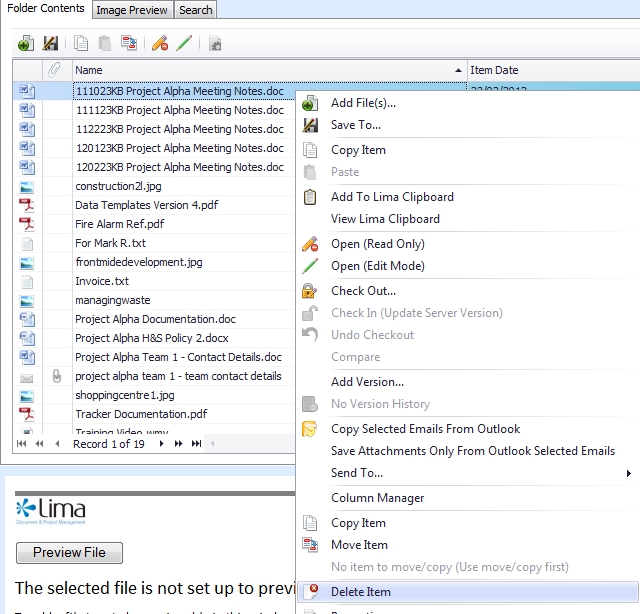
Right click on the file and select Delete item.
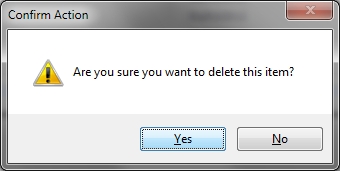
Confirm that you are sure you wish to delete the file.
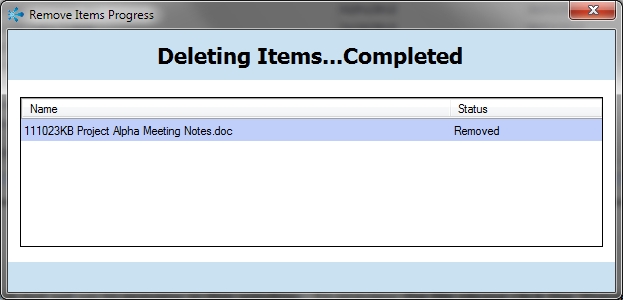
Lima will process the deletion visually and inform you of its completion.