|
To change a file name, right click on the file and select properties.
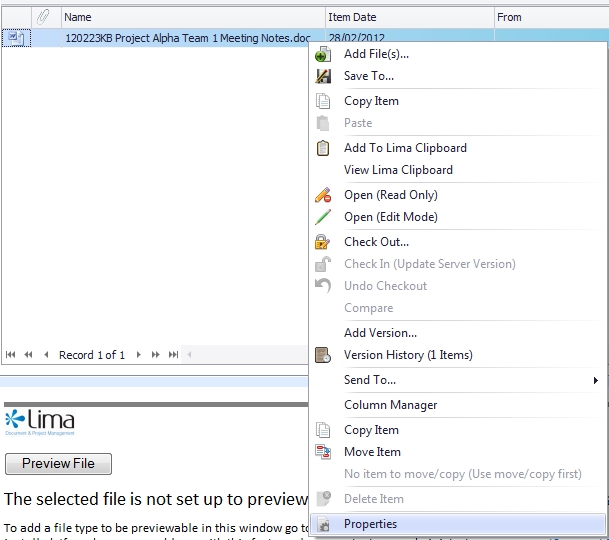
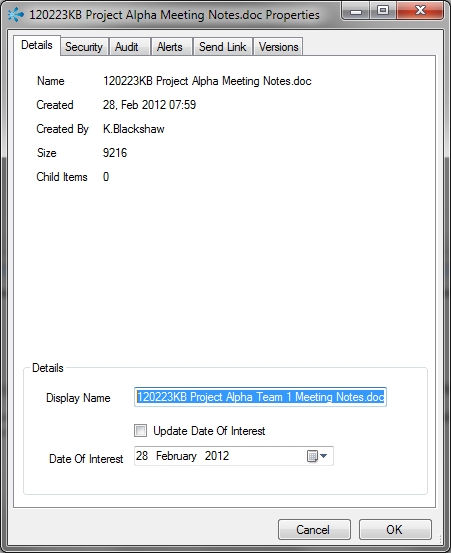
In the details tab of the properties window the file name is displayed in the section "Display Name". Once you have changed the name click ok to confirm your changes.
In the example shown below, the file "120223KB Project Alpha Meeting Notes.doc" has been renamed to "120223KB Project Alpha Team 1 Meeting Notes.doc"
--End--
Related topics:
- Adding a file
- Edit a file
- Delete a file

|