|
Double click the Lima icon on your desktop.

Lima then begins to check for updates. This will take a few seconds.

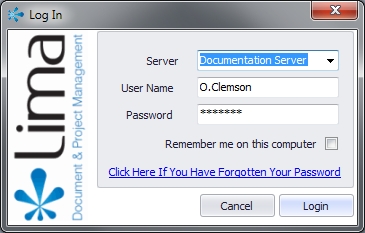
Enter your username and password in the Log in window and if you are the only user of the PC check the box that says "Remember me on this computer".
NB - If you are signing in to Lima for the first time on a public computer or one that supports multiple users, do not check the box that says "Remember me on this computer" as it may give other users access to your Lima environment.
--End--
Related topics:
- Receiving your user account details
- Logging Out of Lima
- The Lima Interface
- Forgotten Password

|